
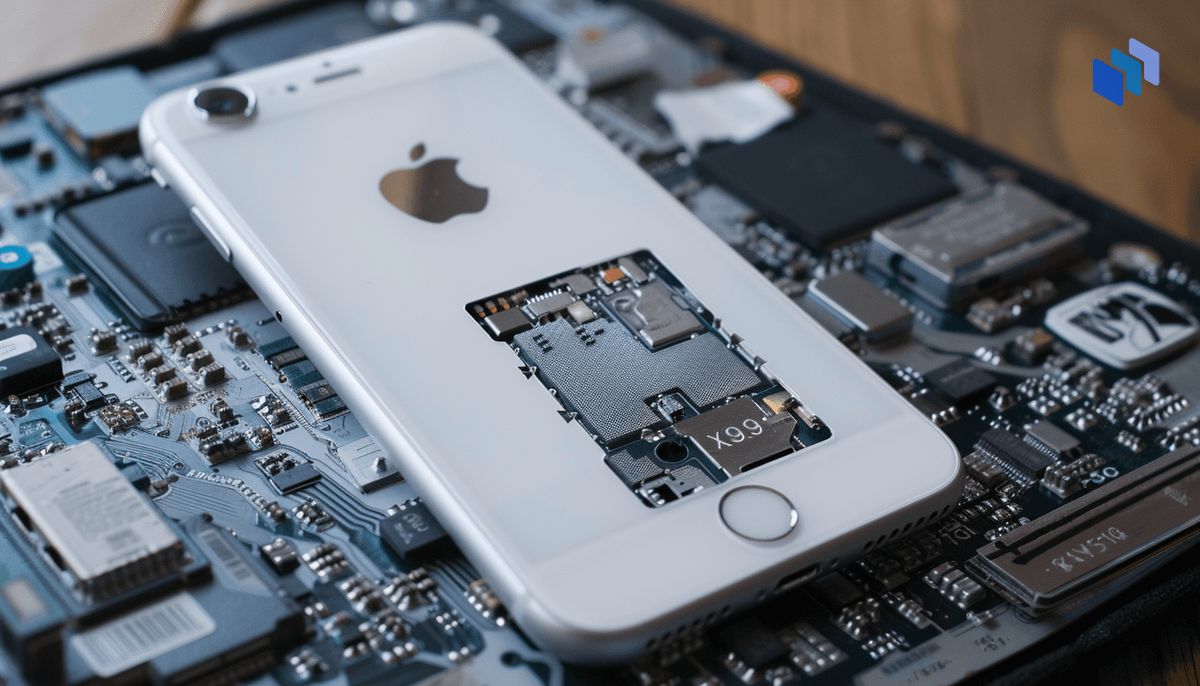
The clearest signs your iPhone may need professional repair include physical damage, battery problems, charging faults, liquid exposure and hardware features that stop working. Some minor issues can be resolved through basic troubleshooting. However, a swollen battery, suspected internal liquid damage or persistent hardware failure requires professional assessment. Knowing which is which saves time and money when you look into iPhone repair Calgary options.
| Quick AnswerYour iPhone may need professional repair if it has a cracked screen, rapidly draining battery, charging problems, liquid damage, camera faults or unresponsive hardware features. Problems that continue after basic troubleshooting may also require professional diagnosis. A swollen battery, suspected internal liquid damage or unusual overheating requires immediate attention. |
Disclaimer: The prices in this blog are general ranges and not a final quote. The exact cost is confirmed after a technician inspects your iPhone.
What Are the Signs That Your iPhone Needs Professional Repair in Calgary?
Most iPhone faults give some warning before they fail completely. These nine signs point to a problem that a restart or a settings change won’t fix.
1. Cracked Screen, Display Lines, or Unresponsive Touchscreen
A crack rarely stays small, since pocket pressure and temperature changes help it spread. Green or white lines, dark patches or touch that fails in one area point to a damaged display under the glass. That usually means replacing the full screen assembly.
2. Rapid Battery Drain or Unexpected Shutdowns
Open Settings and select Battery. On iPhone 14 and earlier models, tap Battery Health & Charging. On iPhone 15 and later models, select Battery Health. Maximum Capacity shows the battery’s current capacity compared with when it was new.
iPhone 14 and earlier models are designed to keep 80% capacity at 500 full charge cycles. iPhone 15 and later are rated for 1,000. A message about an unexpected shutdown and performance management also means the battery can’t deliver peak power anymore.
3. iPhone Not Charging or Charging Intermittently
Charging trouble often starts with something simple. Pocket lint packs into the port over time and stops the cable from seating fully. A cable that only works when held at an angle is a common sign. If a different cable and charger don’t help, the port or the battery may be failing. A technician can clean the port safely and tell you whether it needs replacing.
4. Frequent Overheating or Unusual Battery Swelling
An iPhone gets warm during gaming, fast charging or a long video call. That’s normal. Heat when the phone is sitting idle, or a screen that starts lifting away from the frame, is not.
A gap along the screen edge often means the battery is swelling. Stop charging the phone and get it checked. A swollen battery is a safety risk and shouldn’t be pressed back into place.
5. Water Damage or Liquid Detection Warnings
Since the iPhone XS and XR, an iPhone can warn you when it detects liquid in the charging port. Apple’s guidance is to unplug it, tap it gently against your hand with the port facing down and wait at least 30 minutes before charging.
Apple also says not to use rice, heat or compressed air. If the alert keeps coming back, or the phone acts strangely after drying, the damage may be inside. Liquid damage needs a fuller inspection because corrosion can keep spreading.
6. Blurry Camera, Black Screen, or Autofocus Problems
Clean the lens first. If photos stay blurry, the camera shows a black screen or the image shakes and won’t focus, the camera module may be damaged. Drops and strong vibration, such as from a motorcycle mount, are common causes.
A cracked lens cover is worth fixing early too. Dust and moisture can get through it to the sensor and turn a small repair into a bigger one.
7. Speaker, Microphone, or Audio Malfunctions
Audio faults are easy to test at home. Watch for these signs:
- callers say you sound muffled or far away
- the earpiece is quiet even at full volume
- the bottom speaker crackles or cuts out
- voice memos record with no sound
Check for a blocked grille and turn off Bluetooth first. If the problem stays, the speaker or microphone likely needs replacing.
8. Face ID, Buttons, or Other Hardware Features Stopping Working
Face ID that stops working after a drop, a stuck side button or an unresponsive Ring/Silent switch or Action button can indicate hardware damage. These parts don’t fix themselves with an update.
Face ID problems can involve delicate components and model-specific repair requirements. The available repair options depend on which component is damaged and whether the issue can be resolved through supported repair procedures.
9. Repeated Restarts, Freezing, or Persistent Performance Issues
An app that freezes now and then is normal. An iPhone that restarts on its own, freezes on the Apple logo or stays slow after an update and reset is not.
Repeated restarts can come from a failing battery, a damaged board or corrupted software. Diagnosis comes first. That way you don’t pay for a part the phone didn’t need.
Which iPhone Problems Require Immediate Professional Attention?
Some faults get worse or become unsafe if you wait. Get these checked as soon as possible:
- a swollen battery or a screen lifting from the frame
- liquid exposure, especially salt water, pool water or a sugary drink
- a phone that gets hot while idle or smells like burning plastic
- a phone that won’t power on at all and holds data you need
- deep cracks with loose glass near the edges
For a phone that won’t power on, say at check-in if the data matters. Data recovery is a separate service. It should be discussed before any repair starts so nothing makes recovery harder.
How Can You Tell If Your iPhone Has a Software Problem or Hardware Damage?
A simple test helps sort it out. Turn
| What you notice | Likely cause |
| Freezing in one app only | Software, often fixed by updating or reinstalling the app |
| Problem started right after an iOS update | Usually software |
| Problem started after a drop or spill | Usually hardware |
| Visible cracks, display lines or swelling | Hardware |
| Fault stays after a restart, update and reset | Almost always hardware |
Back up your phone before trying a reset, since it can erase your data. If a full reset doesn’t help, the fault is almost certainly physical and needs a technician to open the phone.
Can You Fix Common iPhone Problems Yourself or Do You Need a Technician?
Some fixes are safe to try at home:
- restart or force restart the phone
- update iOS and the app that’s causing trouble
- gently clear lint from the charging port with a soft, dry brush
- try a different cable and wall charger
- reset settings if the fault seems software-related
Opening the phone is a different matter. iPhones use strong adhesive, fragile flex cables and parts that need setup after replacement. A slip with a pry tool can tear a cable or crack a screen that was only slightly damaged.
A punctured battery during a home repair can also catch fire. If the problem needs the phone opened, a technician is the safer choice.
How Much Does Professional iPhone Repair Cost in Calgary?
Cost depends on the model, the part and the damage. Screen replacements on many iPhone models commonly fall between about $100 and $300. Newer Pro and Pro Max models usually cost more.
Battery replacements usually cost less than a screen. Water damage and board-level faults are priced only after diagnosis, since the damage isn’t visible from the outside.
Repair costs vary by model because replacement part prices, display technology, component availability and repair complexity differ between iPhone generations. A useful rule: if a repair costs about half the price of a new phone, replacing the phone often makes more sense.
Conclusion
Your iPhone needs professional repair when the problem is physical or keeps coming back after a restart, update and reset. Cracks, display lines, worn batteries, charging faults and features that stop working are the most common signs. Swelling, liquid exposure and a phone that won’t power on need attention right away. Simple fixes like cleaning the port, updating iOS or checking Battery Health are worth trying first.
Back up your phone before any repair. Noting when the problem started also helps speed up diagnosis. Acting early is the simplest way to keep iPhone repair Calgary bills small and stop a minor fault from growing.